
How Apple Business Connect Turns Apple Maps Into Leads
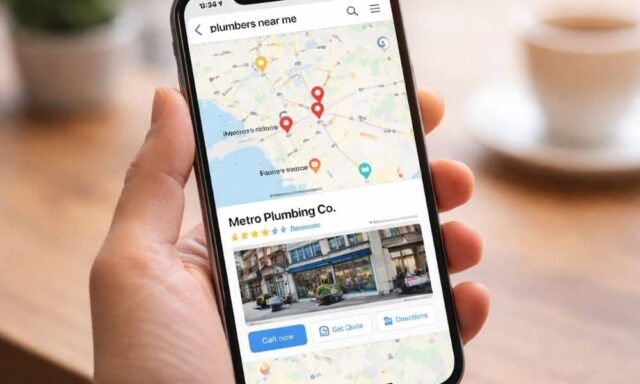
Many local businesses focus only on Google. But many people search using Apple Maps or Siri, especially on iPhones. When someone asks Siri for a nearby service or searches inside Apple Maps, Apple shows a business place card. This place card is often the first thing a customer sees about your company.
For many service businesses, the listing already exists. The problem is that the listing often acts like a simple directory entry instead of helping bring in leads. A customer may see the business but then must search again, open the website, or click through several pages before contacting the company.
These extra steps make things harder for the customer. When it becomes difficult, many people simply move on to another business that looks easier to contact.
Apple Business Connect helps fix this problem. It lets businesses control the information shown in Apple Maps and add action links that guide users to the next step. When these links are set up correctly, a basic listing can turn into a direct way to get new leads. This is also one of the ways businesses improve their local search visibility, making it easier for customers to find and contact them across different platforms.
The Role of the Apple Maps Place Card
When someone taps on a business in Apple Maps, Apple shows a place card. This card displays important details like the business name, photos, address, phone number, website, and hours. It gives customers a quick look so they can decide if the business seems trustworthy and easy to contact.
If the place card is missing information or looks confusing, a customer may choose another listing that appears clearer. This means the details on the place card matter a lot.
A local service business should make sure the information is correct. The phone number should work, the address should be right, and the hours should be updated. Apple Maps often gathers data from different places online, so using Apple Business Connect helps businesses manage the official information customers see.
Why Action Links Are the Most Important Feature
One of the most useful tools in Apple Business Connect is the action link. This link appears on the place card and allows users to take action right away. For example, a customer can call the business, request an estimate, or book an appointment.
Without an action link, a customer usually clicks the website and must figure out what to do next. Many websites are not designed for quick decisions on mobile phones. Because of this, some customers stop before contacting the business.
Action links make the process easier. They send users straight to the page where they can take the next step. A contractor might link to a request-estimate page, while a clinic might link to an appointment booking page. The goal is to make it simple for customers to contact the business.
Understanding the Importance of Tracking Apple Traffic
Many businesses do not realize how much traffic comes from Apple Maps because they do not track it. When visitors arrive without tracking tags, analytics tools often label them as direct or general traffic.
Apple Business Connect allows businesses to use Action URLs with tracking parameters. These tags help businesses see when visitors come from Apple Maps.
With tracking, businesses can see how many calls, form submissions, or bookings begin with Apple users. This makes it easier to understand whether Apple Maps is bringing in real leads.
Aligning Categories With Real Customer Searches
Categories help Apple understand what type of service a business offers. They also help Apple decide when to show the business in search results.
Choosing the right category is important. The category should match the main service customers are searching for. A clear category helps Apple connect the business with the right customers.
When the category, business information, and action link all match the same main service, the listing becomes easier for both Apple and customers to understand.
Turning Apple Maps Into a Lead Source
Many service businesses overlook Apple Maps because the listing was never fully set up. But iPhone users often rely on Apple Maps when searching for nearby services or asking Siri for help.
When Apple Business Connect is configured correctly, the listing becomes more than just information. It becomes a path for customers to find and contact the business.
Clear details build trust, correct categories help people discover the business, and action links guide customers to take the next step. When all these pieces work together, Apple Maps can become another strong source of leads for local service businesses.
